<?xml version="1.0" encoding="UTF-8" ?>
<feed xml:lang="ja" xmlns="http://www.w3.org/2005/Atom" xmlns:dc="http://purl.org/dc/elements/1.1/" xmlns:thr="http://purl.org/syndication/thread/1.0">
  <title type="text">Drowsy</title>
  <subtitle type="html">覚書、Mac周りのカスタマイズ、デザイン、Photoshop、Illustrator、Flash、HTML、Mobile etc..</subtitle>
  <link rel="self" type="application/atom+xml" href="https://ach.pazru.com/atom"/>
  <link rel="alternate" type="text/html" href="https://ach.pazru.com/"/>
  <updated>2011-02-23T00:08:16+09:00</updated>
  <author><name>cage</name></author>
  <generator uri="//www.ninja.co.jp/blog/" version="0.9">忍者ブログ</generator>
  <atom10:link xmlns:atom10="http://www.w3.org/2005/Atom" rel="hub" href="http://pubsubhubbub.appspot.com/" />
  <entry>
    <id>ach.pazru.com://entry/18</id>
    <link rel="alternate" type="text/html" href="https://ach.pazru.com/firefox/firefox%E6%9B%B4%E6%96%B0%E5%BE%8C%E3%80%81%E3%82%B8%E3%82%A7%E3%82%B9%E3%83%81%E3%83%A3%E3%83%BC%E3%81%A7%E3%82%B3%E3%83%B3%E3%83%86%E3%82%AD%E3%82%B9%E3%83%88%E3%83%A1%E3%83%8B%E3%83%A5%E3%83%BC%E3%81%8C%E5%87%BA%E3%82%8B%E3%82%88%E3%81%86%E3%81%AB%E3%81%AA%E3%81%A3%E3%81%9F%E3%82%89" />
    <published>2011-11-09T13:41:23+09:00</published> 
    <updated>2011-11-09T13:41:23+09:00</updated> 
    <category term="Firefox" label="Firefox" />
    <title>Firefox更新後、ジェスチャーでコンテキストメニューが出るようになったら</title>
    <content mode="escaped" type="text/html" xml:lang="utf-8"> 
      <![CDATA[久しぶりに自宅のPC触って色々と更新したら何とも煩わしかったので覚書。<br />
<br />
about:config > dom.event.contextmenu.enabled > true<br />
<br />
上記でジェスチャー中にコンテキストメニュー（右クリックメニュー）は非表示になります。]]> 
    </content>
    <author>
            <name>cage</name>
        </author>
  </entry>
  <entry>
    <id>ach.pazru.com://entry/17</id>
    <link rel="alternate" type="text/html" href="https://ach.pazru.com/mac/%E5%80%92%E3%82%8C%E3%82%8B%E6%99%82%E3%81%AF%E5%89%8D%E3%81%AE%E3%82%81%E3%82%8A" />
    <published>2011-04-17T11:53:30+09:00</published> 
    <updated>2011-04-17T11:53:30+09:00</updated> 
    <category term="Mac" label="Mac" />
    <title>倒れる時は前のめり</title>
    <content mode="escaped" type="text/html" xml:lang="utf-8"> 
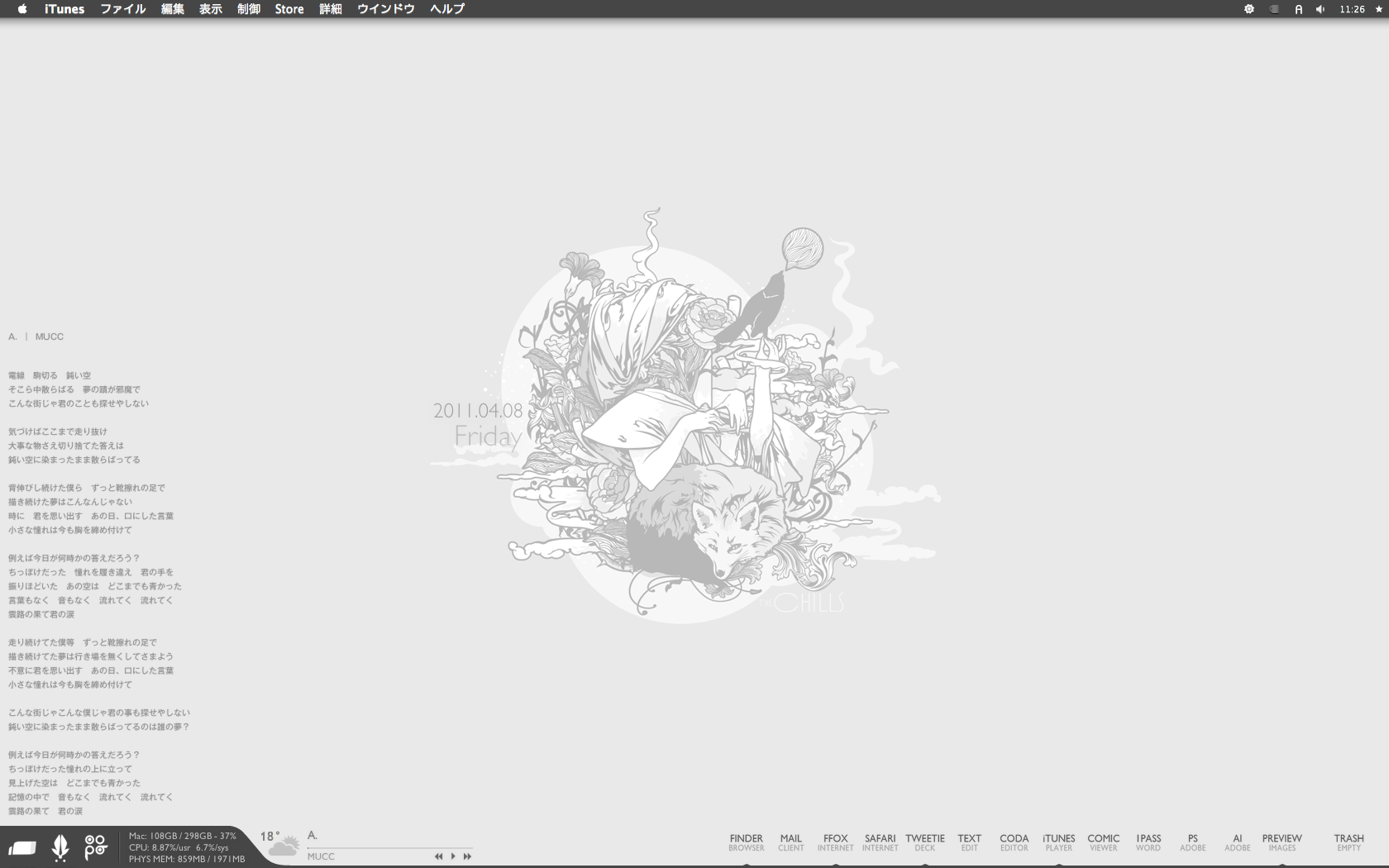
      <![CDATA[<div class="img"><a href="//ach.pazru.com/File/9c61c531.png" target="_blank"><img src="//ach.pazru.com/File/9c61c531.png" border="0" alt="" width="500" /></a></div><br />
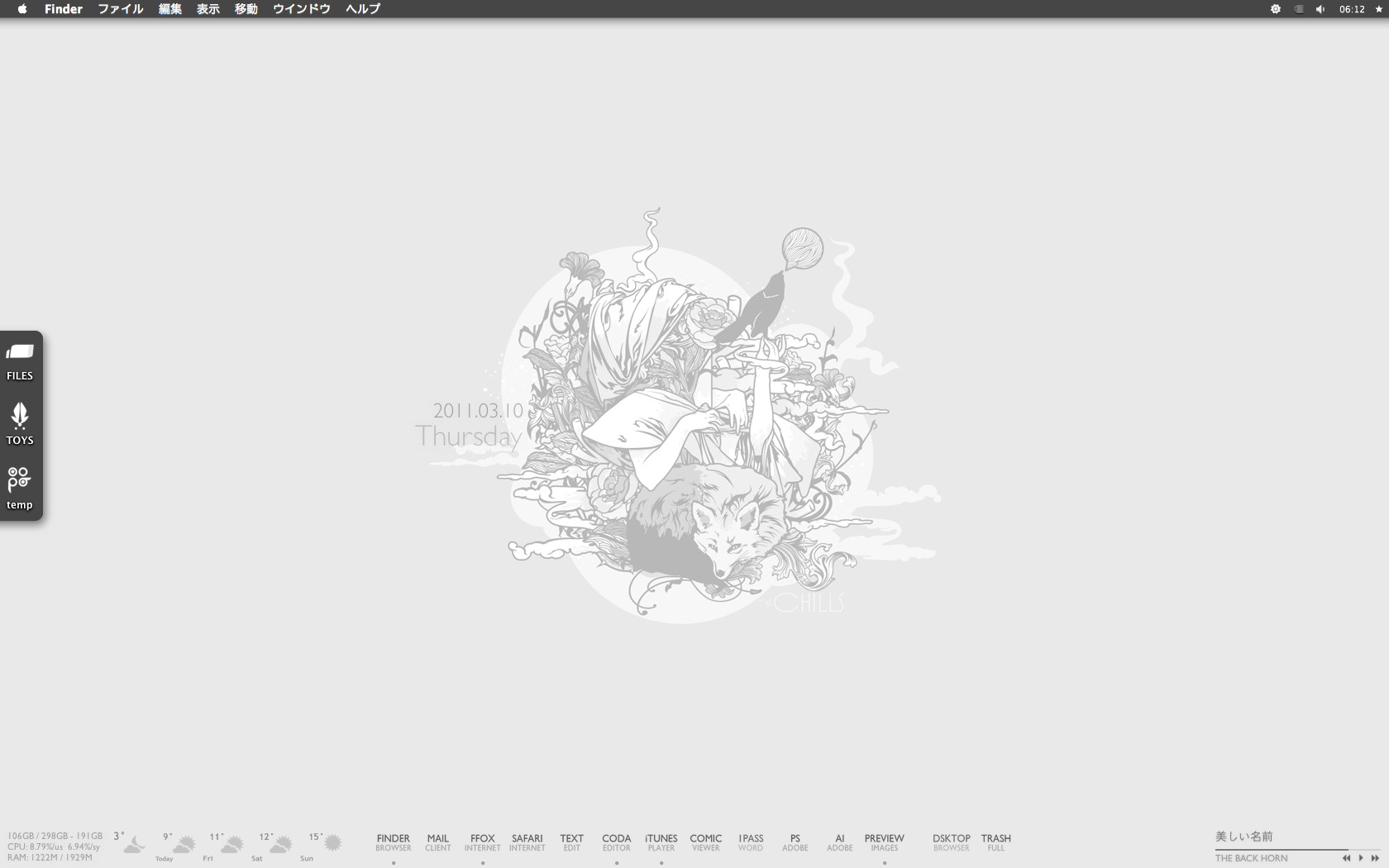
Wallpaper : The Chills .2009. by <a href="http://j3concepts.deviantart.com/art/The-Chills-2009-145401014" target="_blank">j3concepts</a><br />
Theme : Caesar for SL by <a href="http://chaotics.net/blog/?p=387" target="_blank">Wowzera</a> / Mods by Me<br />
Dock : Gill Sans Text Dock Icons by <a href="http://arctictransfuse.deviantart.com/art/Gill-Sans-Text-Dock-Icons-154466636" target="_blank">arcticTransfuse</a><br />
Icons : AMANA ICONS B by <a href="http://imrik.deviantart.com/art/AMANA-ICONS-B-77919540" target="_blank">imrik</a><br />
Bowtie : Zukunft by <a href="http://macthemes.net/forum/viewtopic.php?id=16792497" target="_blank">arcticTransfuse</a> / Mods by Me<br />
Yahoo Widget : widescapeWeather by <a href="http://widgets.yahoo.com/widgets/widescapeweather" target="_blank">Robert Wünsch</a><br />
DesktopLyrics by <a href="http://www.corecode.at/desktoplyrics/" target="_blank">corecode</a>]]> 
    </content>
    <author>
            <name>cage</name>
        </author>
  </entry>
  <entry>
    <id>ach.pazru.com://entry/16</id>
    <link rel="alternate" type="text/html" href="https://ach.pazru.com/%E7%B4%A0%E6%9D%90/warning%E3%82%A2%E3%82%A4%E3%82%B3%E3%83%B3" />
    <published>2011-04-08T07:43:46+09:00</published> 
    <updated>2011-04-08T07:43:46+09:00</updated> 
    <category term="素材" label="素材" />
    <title>WARNINGアイコン</title>
    <content mode="escaped" type="text/html" xml:lang="utf-8"> 
      <![CDATA[<div class="img"><img src="//ach.pazru.com/File/b19b524d.png" border="0" alt="" /></a></div><br />
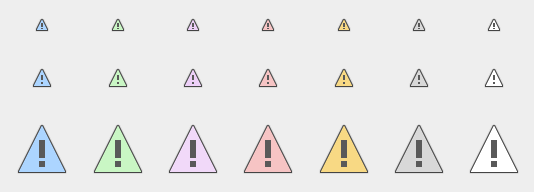
テーマをグチャグチャやってたときの副産物。<br />
サイズは14x14、20x20、50x50の三種類あり。<br />
左から、青・緑・紫・赤・黄・灰・白。そして上の画像には入れなかったが、白の隣の一番右のが透過済。<br />
<br />
<a href="http://ach.xxxxxxxx.jp/warning.html" target="_blank">WARNING icon</a><br />
<br />
FREE。商用OK。再配布の場合はリンクだけお願いします。]]> 
    </content>
    <author>
            <name>cage</name>
        </author>
  </entry>
  <entry>
    <id>ach.pazru.com://entry/15</id>
    <link rel="alternate" type="text/html" href="https://ach.pazru.com/firefox/firefox%E3%81%A7%E7%84%A1%E5%8A%B9%E3%81%AA%E3%82%A2%E3%83%89%E3%82%AA%E3%83%B3%E3%82%92%E5%BC%B7%E5%88%B6%E7%9A%84%E3%81%AB%E3%82%A4%E3%83%B3%E3%82%B9%E3%83%88%E3%83%BC%E3%83%AB-%E4%BD%BF%E7%94%A8%E3%81%99%E3%82%8B" />
    <published>2011-04-06T21:16:54+09:00</published> 
    <updated>2011-04-06T21:16:54+09:00</updated> 
    <category term="Firefox" label="Firefox" />
    <title>Firefoxで無効なアドオンを強制的にインストール/使用する</title>
    <content mode="escaped" type="text/html" xml:lang="utf-8"> 
      <![CDATA[アップグレードして使えなくなったアドオンがちょいちょいあるので、無理矢理インスコして使用。<br />
Hide GUI barsのようにFirefox 4自体の新機能に非対応な場合は効果はないが、それ以外なら割と使えたので覚書。<br />
<br />
<ol>
<li>about:config を開く。</li>
<li>右クリック&nbsp;&gt;&nbsp;真偽値 を選択。</li>
<li><strong>extensions.checkCompatibility.4.0</strong> を入力。</li>
<li><strong>false</strong> を入力。</li>
<li>Firefoxを再起動する。</li>
</ol>
<br />
install.rdfのバージョンをいちいち書き換えるより全然楽。<br />
けどアドオンページのヘッダー辺りに有効化のリンクが出るので結構間違えて押してしまう。
<br />これ消せないのかなあ。]]> 
    </content>
    <author>
            <name>cage</name>
        </author>
  </entry>
  <entry>
    <id>ach.pazru.com://entry/14</id>
    <link rel="alternate" type="text/html" href="https://ach.pazru.com/firefox/hide%20gui%20bars%E3%82%92firefox4%E3%81%AB%E5%AF%BE%E5%BF%9C%E3%81%95%E3%81%9B%E3%82%8B" />
    <published>2011-04-06T04:20:54+09:00</published> 
    <updated>2011-04-06T04:20:54+09:00</updated> 
    <category term="Firefox" label="Firefox" />
    <title>Hide GUI barsをFirefox4に対応させる</title>
    <content mode="escaped" type="text/html" xml:lang="utf-8"> 
      <![CDATA[FFのバー関係をショートカットキーで隠してくれる大変便利なアドオン、Hide GUI bars。<br />
だがFirefox 4になってからステータスバーがいなくなって<strong>アドオンバー</strong>になり、Hide GUI barsでは非表示に出来なくなってしまった。<br />
今回はこれをFirefox 4でも使えるように修正。<br /><br /><a href="https://ach.pazru.com/firefox/hide%20gui%20bars%E3%82%92firefox4%E3%81%AB%E5%AF%BE%E5%BF%9C%E3%81%95%E3%81%9B%E3%82%8B" target="_blank">Read more..</a>]]> 
    </content>
    <author>
            <name>cage</name>
        </author>
  </entry>
  <entry>
    <id>ach.pazru.com://entry/13</id>
    <link rel="alternate" type="text/html" href="https://ach.pazru.com/firefox/firefox%E3%81%A7%E3%83%97%E3%83%AD%E3%83%95%E3%82%A1%E3%82%A4%E3%83%AB%E3%83%9E%E3%83%8D%E3%83%BC%E3%82%B8%E3%83%A3%E3%83%BC%E3%82%92%E8%B5%B7%E5%8B%95%E3%81%99%E3%82%8B%E3%82%B3%E3%83%9E%E3%83%B3%E3%83%89" />
    <published>2011-04-04T03:45:21+09:00</published> 
    <updated>2011-04-04T03:45:21+09:00</updated> 
    <category term="Firefox" label="Firefox" />
    <title>Firefoxでプロファイルマネージャーを起動するコマンド</title>
    <content mode="escaped" type="text/html" xml:lang="utf-8"> 
      <![CDATA[Terminalを起動<br />
<br />
<div class="SH">
<pre name="code" class="js">
/Applications/Firefox.app/Contents/MacOS/firefox -Profilemanager
</pre>
</div>
上記を入力し、Enterキー。]]> 
    </content>
    <author>
            <name>cage</name>
        </author>
  </entry>
  <entry>
    <id>ach.pazru.com://entry/12</id>
    <link rel="alternate" type="text/html" href="https://ach.pazru.com/%E3%81%9D%E3%81%AE%E4%BB%96/%E5%89%8D%E5%9B%9E%E3%81%AE%E3%82%BF%E3%82%A4%E3%83%88%E3%83%AB%E3%81%8C%E3%82%84%E3%81%AA%E6%84%9F%E3%81%98" />
    <published>2011-04-04T03:44:07+09:00</published> 
    <updated>2011-04-04T03:44:07+09:00</updated> 
    <category term="その他" label="その他" />
    <title>前回のタイトルがやな感じ</title>
    <content mode="escaped" type="text/html" xml:lang="utf-8"> 
      <![CDATA[震災後、家に直接の被害はなかったが色々と回りでバタついてた。<br />
<br />
少し落ち着いてからの３月下旬はFirefox 4に人柱したり、好きで使ってたFULL FLATテーマをFirefox 4で使えるように改造したり色々としてたけど、何となく書くことがまとまらなさそうだったので間が開いた。<br />
<br />
大分遅くなってしまったけど、<br />
3/11の東日本大震災で被災した方々に心から御見舞を申し上げます。そして、亡くなった方々へのご冥福をお祈り致します。<br />
<br />
<br />
ボランティア参加しようかと思ったが行動起こしたのが遅すぎて近めの場所はほぼ復旧してたので、せめてこれから細く長く、募金箱にいくらか入れていこうと思う。]]> 
    </content>
    <author>
            <name>cage</name>
        </author>
  </entry>
  <entry>
    <id>ach.pazru.com://entry/11</id>
    <link rel="alternate" type="text/html" href="https://ach.pazru.com/mac/%E5%9C%B0%E9%9C%87%E3%82%84%E3%81%B0%E3%81%84" />
    <published>2011-03-10T06:45:01+09:00</published> 
    <updated>2011-03-10T06:45:01+09:00</updated> 
    <category term="Mac" label="Mac" />
    <title>地震やばい</title>
    <content mode="escaped" type="text/html" xml:lang="utf-8"> 
      <![CDATA[<div class="img"><a href="//ach.pazru.com/File/sc1.png" target="_blank"><img src="//ach.pazru.com/File/sc1.png" border="0" alt="" width="500" /></a></div>
<div class="img"><a href="//ach.pazru.com/File/sc2.png" target="_blank"><img src="//ach.pazru.com/File/sc2.png" border="0" alt="" width="500" /></a></div><br />
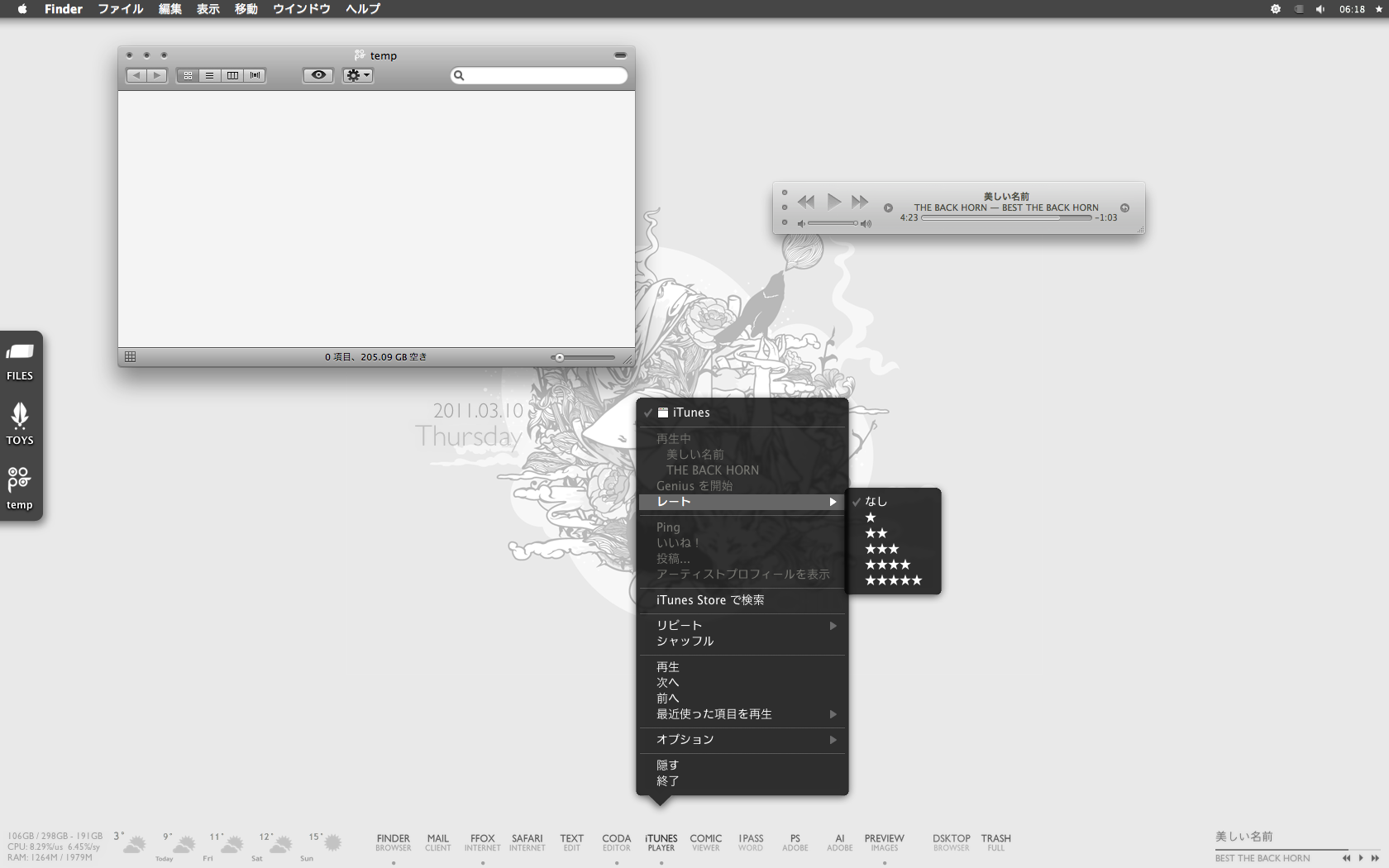
Snow LeopardになってDockのコンテキストメニューのデザインが黒地の白縁へ変わってた。<br />
前よりかっこいい。けど白縁が気になったので変えた。<br />
<br />
さっぱりしたー、あと細かい所は後日追記。]]> 
    </content>
    <author>
            <name>cage</name>
        </author>
  </entry>
  <entry>
    <id>ach.pazru.com://entry/10</id>
    <link rel="alternate" type="text/html" href="https://ach.pazru.com/mac/%E3%83%A1%E3%83%8B%E3%83%A5%E3%83%BC%E3%83%90%E3%83%BC%E3%81%AE%E8%89%B2%E3%82%92%E5%A4%89%E3%81%88%E3%82%8B%E6%96%B9%E6%B3%95%20by%20snow%20leopard" />
    <published>2011-03-10T06:00:41+09:00</published> 
    <updated>2011-03-10T06:00:41+09:00</updated> 
    <category term="Mac" label="Mac" />
    <title>メニューバーの色を変える方法 by Snow Leopard</title>
    <content mode="escaped" type="text/html" xml:lang="utf-8"> 
      <![CDATA[今回の画像は目が痛い。<br />
けどきっとその分わかりやすい。はず。<br />
<br />
この前カスタマイズしたばっかりなのに、Lionが出るのを知って遂にSLを入れてしまった。<br />
次のバージョンが出るなら不具合は修正し尽くされたかなと。入れた後で調べてみたらちょいちょいあるようだが、今のところ特にトラブルは無い。<br />
当たり前だけどバージョンアップして色々いじくった設定が消えたからまた入れ直さないといけない。<br />
でもSLのほうがカスタム情報が豊富で質も高いのでやり直すのは苦じゃないし、むしろ楽しい。<br />
<br />
ということでメニューバーのカスタマイズ方法を書き留めておく。<br />
システムファイルをいじるので十分確認の上、自己責任でお願いします。<br />
<br />
<br /><a href="https://ach.pazru.com/mac/%E3%83%A1%E3%83%8B%E3%83%A5%E3%83%BC%E3%83%90%E3%83%BC%E3%81%AE%E8%89%B2%E3%82%92%E5%A4%89%E3%81%88%E3%82%8B%E6%96%B9%E6%B3%95%20by%20snow%20leopard" target="_blank">Read more..</a>]]> 
    </content>
    <author>
            <name>cage</name>
        </author>
  </entry>
  <entry>
    <id>ach.pazru.com://entry/9</id>
    <link rel="alternate" type="text/html" href="https://ach.pazru.com/mac/geektool%E3%82%B7%E3%82%A7%E3%83%AB%E3%82%B3%E3%83%9E%E3%83%B3%E3%83%89%E8%89%B2%E3%80%85" />
    <published>2011-03-09T18:58:31+09:00</published> 
    <updated>2011-03-09T18:58:31+09:00</updated> 
    <category term="Mac" label="Mac" />
    <title>Geektoolシェルコマンド色々</title>
    <content mode="escaped" type="text/html" xml:lang="utf-8"> 
      <![CDATA[<div class="img"><img src="//ach.pazru.com/File/geektool.gif" alt="geektool" width="465" height="431" /></div><br />
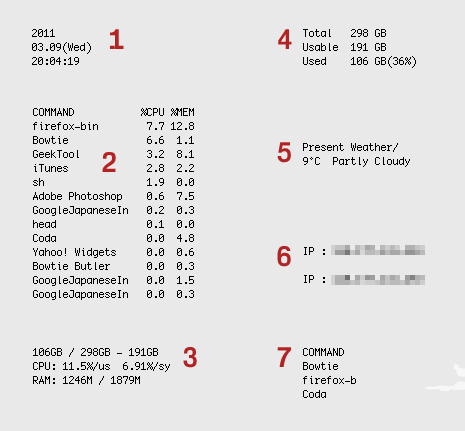
いろいろ変えたので以前の設定を書き留めておく。<br /><br /><br /><a href="https://ach.pazru.com/mac/geektool%E3%82%B7%E3%82%A7%E3%83%AB%E3%82%B3%E3%83%9E%E3%83%B3%E3%83%89%E8%89%B2%E3%80%85" target="_blank">Read more..</a>]]> 
    </content>
    <author>
            <name>cage</name>
        </author>
  </entry>
</feed>